Generate images with Chinese and English text. Shape the composition with JSON layouts. Explore real results, then generate here with your Hugging Face quota.
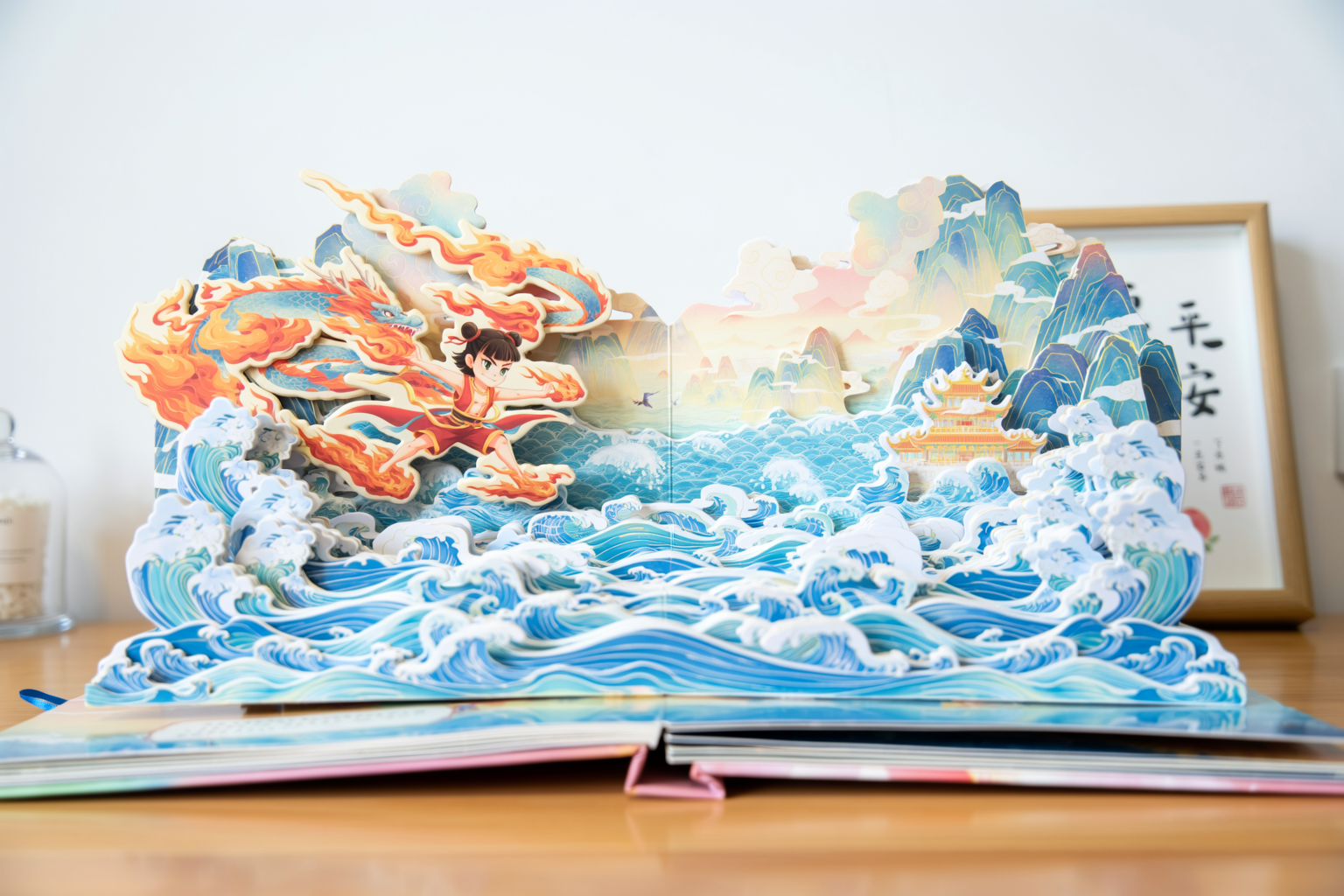
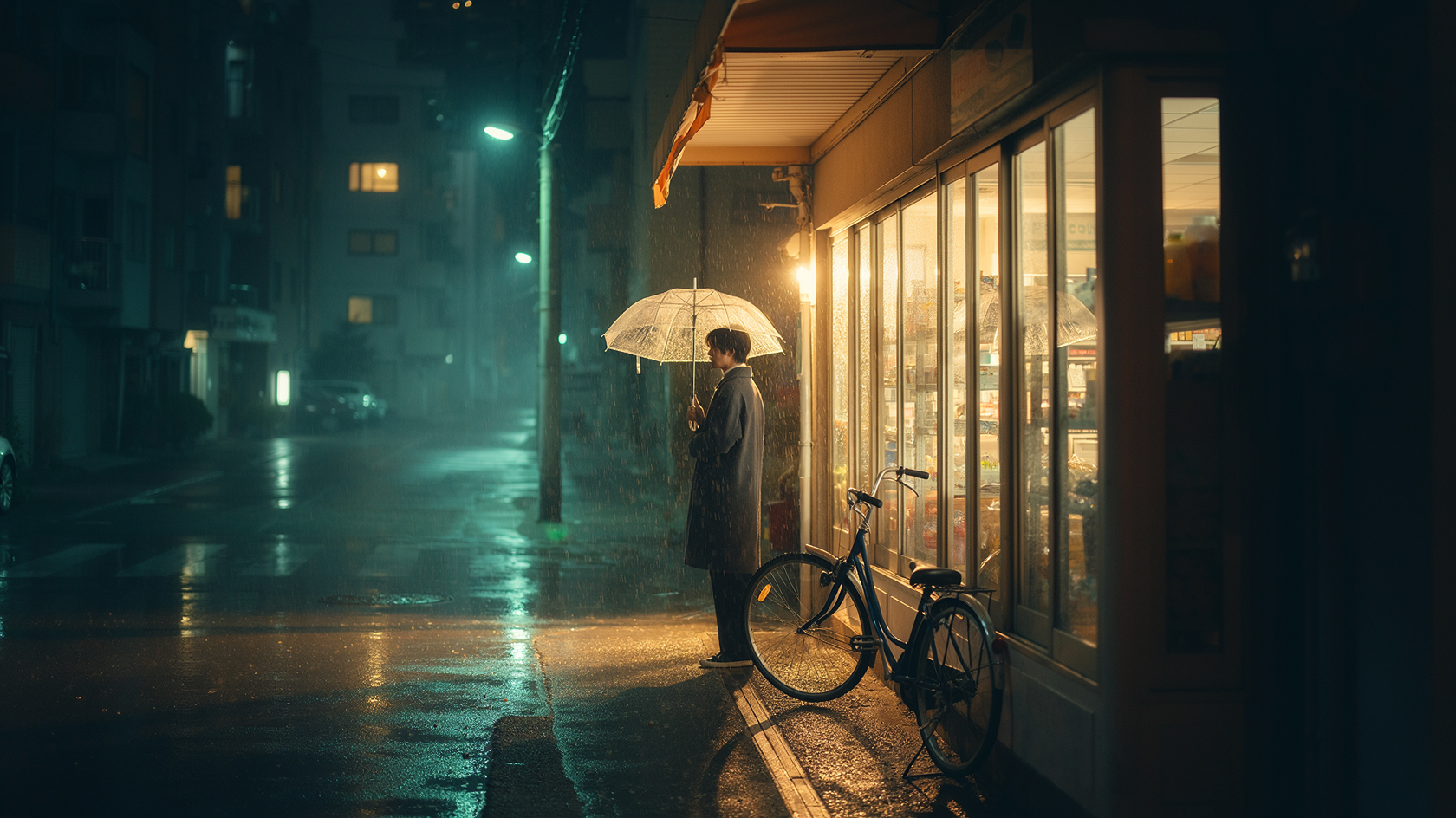
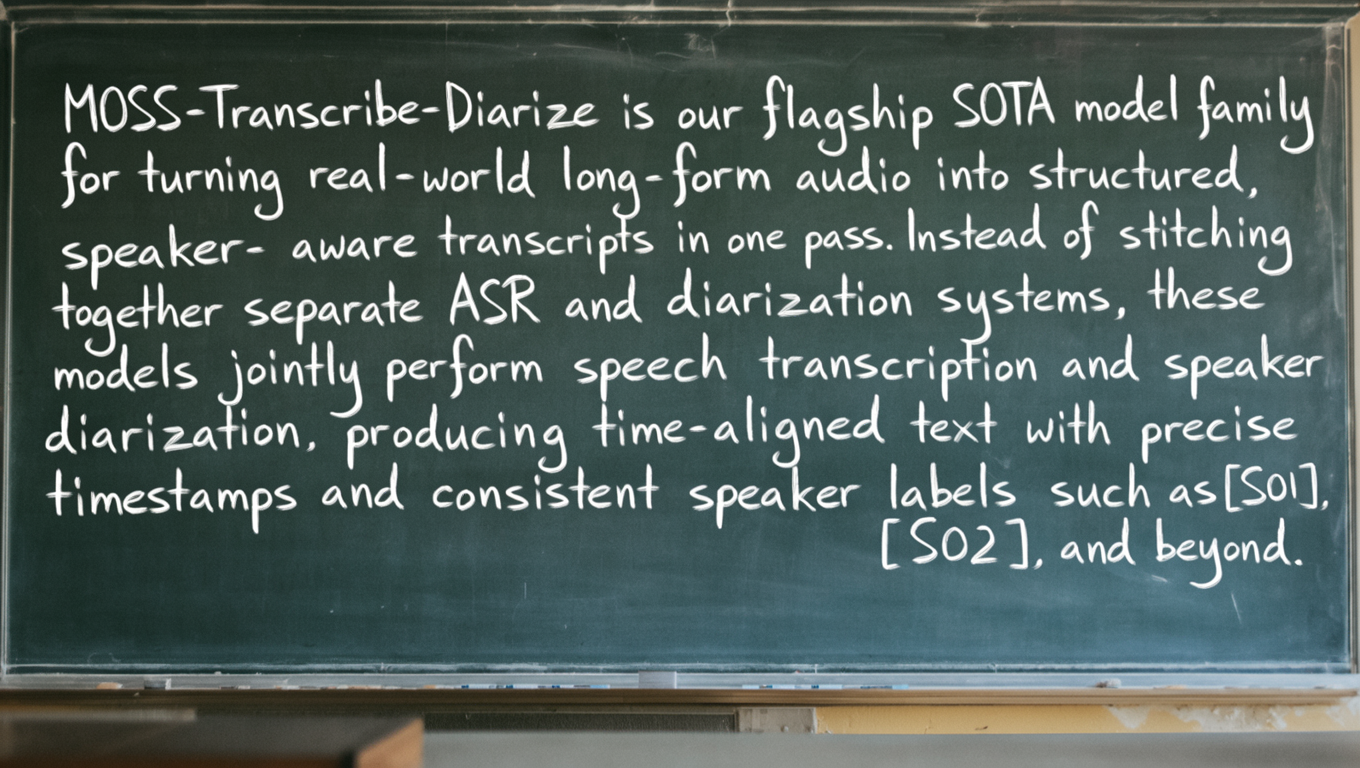
Official OpenMOSS examples: SFT text rendering, paper sculpture and a rainy street. Our independent test is below.
MOSS-Image online · Official Space API
Generate with your own HF quota
Write a prompt or bring a layout. Authorize your free Hugging Face account, check its quota, and generate here. Inference is provided by the official OpenMOSS Space.
Your Hugging Face account
Checking sign-in and quota…
What is MOSS-Image?
MOSS-Image is an open text-to-image model family from OpenMOSS. Its 5B backbone supports prompts up to 4K tokens, Chinese and English text rendering, and structured layout inputs. Base and SFT share the same inference interface; SFT is fine-tuned on curated data.
{
  "summary": {
    "meta": [
      "poster"
    ],
    "canvas": "single",
    "caption": "A clean blue and white design exhibition poster with a bold Chinese title and a blue abstract sculpture on a white background."
  },
  "items": [
    {
      "label": "text",
      "caption": "Large dark-blue Chinese title at the top.",
      "text": "字有位置",
      "bbox": [
        -416,
        -416,
        -256,
        416
      ]
    },
    {
      "label": "object",
      "caption": "An abstract cobalt blue geometric sculpture in the center.",
      "bbox": [
        -160,
        -320,
        352,
        320
      ]
    }
  ],
  "bbox_coord_space": "abs_centralized",
  "bbox_format": "yxyx"
}
{
  "summary": {
    "meta": [
      "poster"
    ],
    "canvas": "single",
    "caption": "An editorial cafe poster with a warm yellow background, dark brown typography and a ceramic cup of coffee. Render the Chinese headline and the English line exactly."
  },
  "items": [
    {
      "label": "text",
      "caption": "Large bold dark brown Chinese title at the top.",
      "text": "慢一点",
      "bbox": [
        -416,
        -416,
        -256,
        416
      ]
    },
    {
      "label": "object",
      "caption": "A ceramic cup of coffee photographed from above, with soft natural light.",
      "bbox": [
        -192,
        -288,
        288,
        288
      ]
    },
    {
      "label": "text",
      "caption": "Small dark brown uppercase English text.",
      "text": "TAKE A BREAK",
      "bbox": [
        352,
        -320,
        416,
        320
      ]
    }
  ],
  "bbox_coord_space": "abs_centralized",
  "bbox_format": "yxyx"
}
{
  "summary": {
    "meta": [
      "poster"
    ],
    "canvas": "single",
    "caption": "A vivid pink weekend music event poster with dark typography, a wide photograph of a record player and the exact Chinese and English headlines."
  },
  "items": [
    {
      "label": "text",
      "caption": "Large bold Chinese event title at the top.",
      "text": "周末开场",
      "bbox": [
        -432,
        -432,
        -272,
        432
      ]
    },
    {
      "label": "text",
      "caption": "A compact uppercase English subtitle.",
      "text": "WEEKEND SESSIONS",
      "bbox": [
        -256,
        -432,
        -176,
        432
      ]
    },
    {
      "label": "object",
      "caption": "A close-up photograph of a record player and a vinyl record.",
      "bbox": [
        -112,
        -432,
        416,
        432
      ]
    }
  ],
  "bbox_coord_space": "abs_centralized",
  "bbox_format": "yxyx"
}
A cinematic, photorealistic nighttime scene of a small neighborhood convenience store on a quiet, rain-soaked street. The warmly illuminated storefront occupies the right half of the frame, while the street recedes into soft mist on the left. A lone young adult wearing a charcoal coat stands just outside the entrance beneath a transparent umbrella, seen in three-quarter rear view, gazing through the glass. Amber light reveals shelves inside and spills across the sidewalk, mingling with muted teal neon reflections in shallow puddles. Individual raindrops bead on the umbrella and catch the storefront light; fine streaks of rain remain visible against the darker street. A slightly weathered bicycle leans beside the entrance. Distant apartment windows and a few out-of-focus streetlights add depth without distracting from the figure. Eye-level wide shot, 35mm lens aesthetic, natural perspective, balanced negative space, restrained teal-and-amber color grading, realistic wet asphalt and glass textures, soft highlight bloom, subtle film grain, and gentle atmospheric depth. Quiet, intimate, and nostalgic rather than dramatic; believable lighting, with the figure clearly silhouetted against the warm window. No prominent readable lettering, logos, or watermarks.
A candid classroom photograph, slightly off-center, with a worn dark green chalkboard filling most of the frame. Uneven window light, soft shadows, chalk dust, eraser streaks, subtle camera grain. Visible board frame and chalk tray, a blurred desk corner in the foreground. Natural, slightly irregular white chalk handwriting—not polished typography or a flat blackboard graphic. Keep all text sharp, fully visible, and free of glare.

The chalkboard reads exactly:

"MOSS-Transcribe-Diarize is our flagship SOTA model family
for turning real-world long-form audio into structured,
speaker- aware transcripts in one pass. Instead of stitching
together separate ASR and diarization systems, these
models jointly perform speech transcription and speaker
diarization, producing time-aligned text with precise
timestamps and consistent speaker labels such as [S01], [S02], and beyond."
The official showcase does not publish individual settings for this image.
Official works are credited to OpenMOSS. Our poster is an independent test on the official Space. Gallery selections show possible results, not a guarantee for every prompt.
Use Chinese or English for signs, posters, whiteboards and illustrated stories. Describe what the text should say and how it should look. Review the output before publishing: long passages and exact spelling still need checking.
SFT is fine-tuned from Base on curated data. In this official whiteboard comparison, look at text grouping, line breaks and the organization of the notes. One example does not establish a universal winner.
MOSS-Image-BaseMOSS-Image-SFT
Official OpenMOSS comparison. Open each image to inspect the text.
Original output, generated in the official Space on October 17, 2026. No retouching.
Made with MOSS-Image-Base
Four characters. One real test.
We submitted “字有位置” with a blue sculpture layout to the official Space. This is the original result, with its prompt and settings available to reuse.
Model
MOSS-Image-Base
Canvas
1024 × 1024
Steps / Seed
50 / 42
CFG / Shift
3 / 5
The model added an unrequested English line, ‘Design Exhibition’. The Chinese title rendered correctly, but this single sample does not establish overall accuracy or exact layout adherence.
All three samples use Base, 1024 × 1024, 50 steps, seed 42, CFG 3 and shift 5. They are unretouched single runs, not an accuracy benchmark. The editor shows the requested layout, not the output pixels.
Give every element a place.
Drag text and objects into place, then send a square layout to the generator above. The canvas below previews your input.
Your draft stays in this browser. No account or upload needed.
From your first prompt to your own workflow.
Practical guides, with official references and inputs you can reuse.
MOSS-Image is an open text-to-image model family from OpenMOSS, released on October 16, 2026. Base and SFT share a 5B backbone and accept natural-language and JSON layout prompts. The official project describes English and Chinese text rendering. This independent site helps you prepare layouts.
Is this a free MOSS-Image generator?
The editor, templates and JSON export are free without an account. On-site generation uses your authorized Hugging Face account and the official OpenMOSS Space API. This free-only release accepts verified free accounts without payment capability. HF controls availability and quota; unlimited generation is not offered.
Will the model follow every box exactly?
Layout prompts are experimental. Boxes express your intended arrangement, not pixel-perfect constraints. Generated text, spelling and placement can vary. The editor is an input preview; the separate example is an actual model output.
Where does my draft go?
Editor drafts stay in this browser. The generator saves its prompt and a temporary result link in this tab’s session storage. Only clicking Generate sends the prompt through our server to the official OpenMOSS Space. HF credentials stay in a short-lived encrypted HttpOnly cookie. See our privacy notice for details.
Model references: OpenMOSS, GitHub. Checked October 17, 2026.